U-Rite Not Shown in Ribbon
Problem
This is the most common issue users face: the U-Rite tab does not appear on the Excel Ribbon.
Solution
-
Check if U-Rite has been installed successfully.
Anti-virus software can sometimes prevent the installer for U-Rite from properly setting registry keys. To ensure a successful installation, temporarily disable all anti-virus software before installing.
Alternatively, you can contact your IT Administrator, we're happy to work with them to resolve the issue.
If U-Rite installed successfully, then follow the steps:
-
Save any work in Excel, go to Process Manager, and close all EXCEL.exe.
-
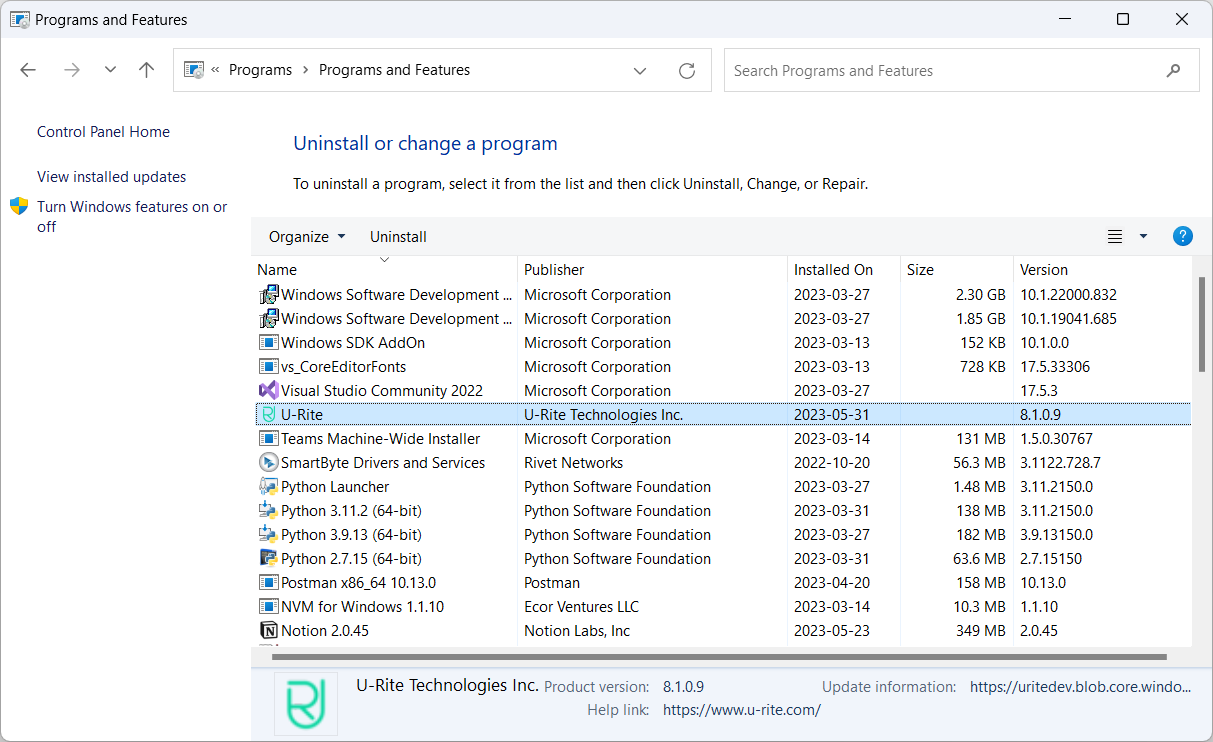
Go to Control Panel > Programs > Programs and Features and make sure U-Rite is listed to ensure it installed correctly.
-
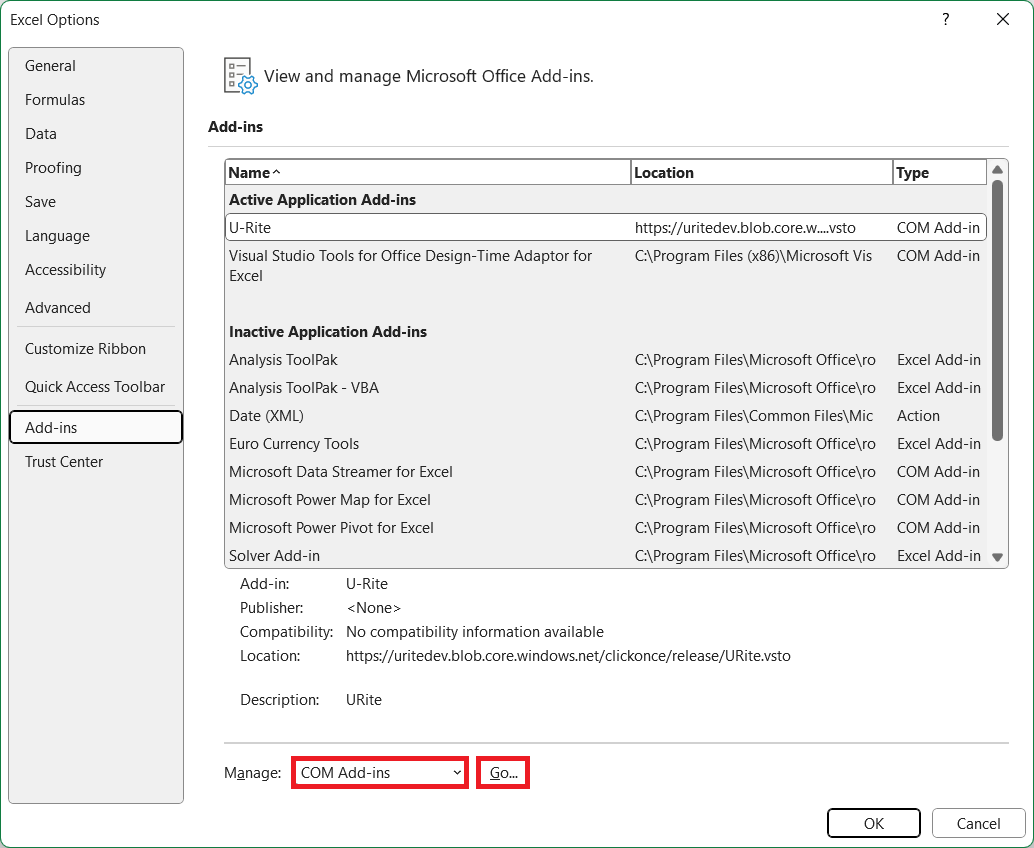
Open Excel and go to File > Options > Add-ins
-
Select Manage: COM Add-ins and click GO. If U-Rite doesn't appear in COM Add-ins, check Disabled Add-ins.
-
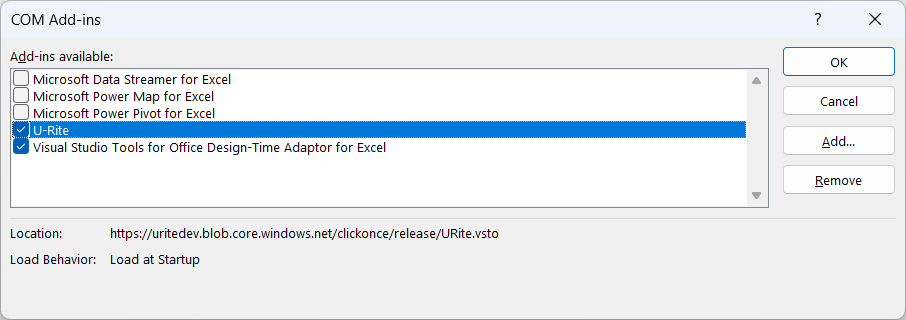
Make sure there is a check mark beside U-Rite.
Please follow these steps carefully, and let us know if the issue persists.