Workbook
The Workbook group within the U-Rite ribbon provides you with several helpful tools, each which can serve as a great starting point for your model.
Functions
Create New Model
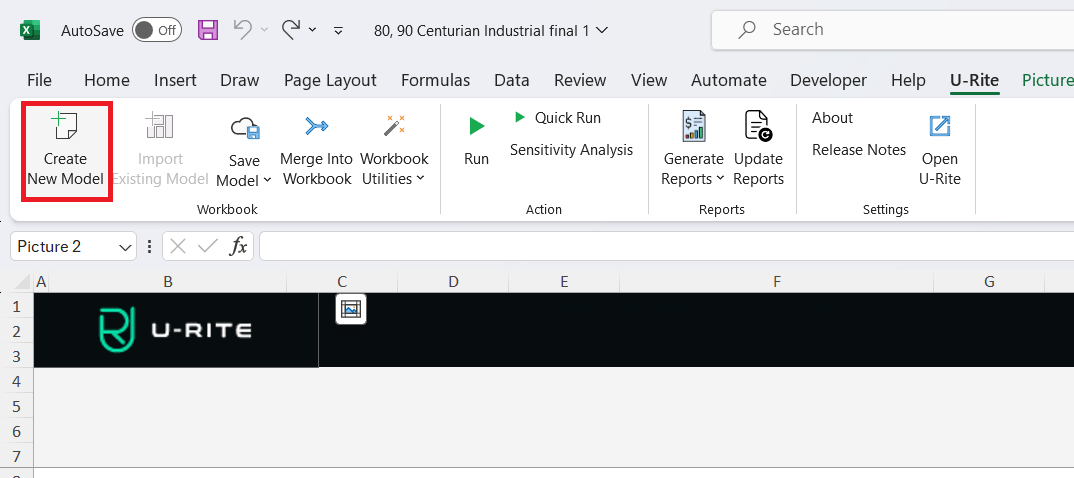
The Create New Model button triggers the creation of a new model in the U-Rite app, where you can input your property name, the area, and the type of your property to create a new model.
Add Templates
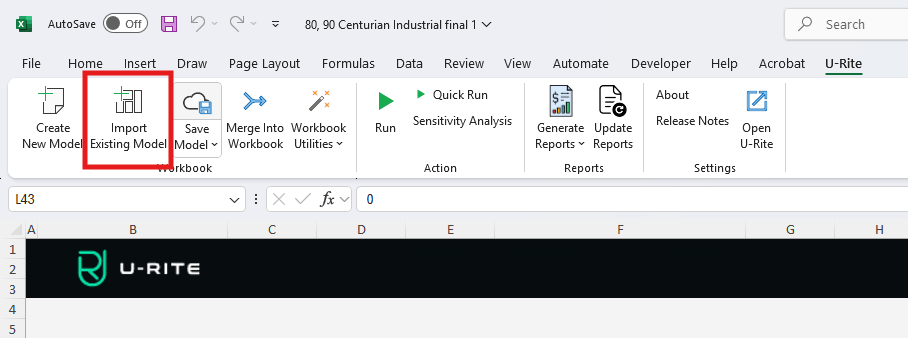
The Import Existing Model button allows you to import models from your U-Rite dashboard, leveraging an existing portfolio with a selected scenario. Helpful to integrate properties into your workspace.
Save Model
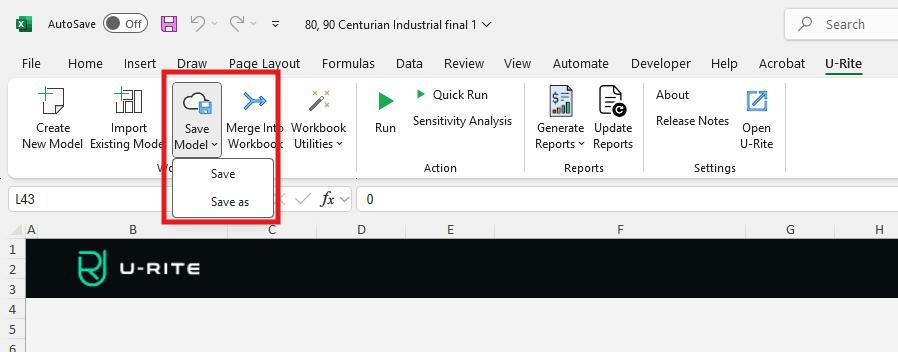
Save Model is a split button. The main button triggers the Property Save function in the U-Rite app. This feature allows you to save your current model to a selected location. From here, you can select any of the Dashboard organizations that you are a part of. The dropdown menu consists of the following options:
- Save: This also triggers the Property Save feature within the U-Rite app.
- Save As: The Save buttons above will save the current model to last Save location selected for the current file. If a location is yet to be specified, it will trigger the Property Save function within U-Rite. Alternatively, the Save As button will always trigger the Property Save function within U-Rite so that you can save the model to multiple locations, or save a revised model without impacting the previous version.
Merge into Workbook
The Merge into Workbook button allows you to merge multiple workbooks open on your system. Selecting this option will trigger a feature requesting the workbook to be merged with the current file. The data from that workbook will be extracted and merged into the current file.
Workbook Utilities
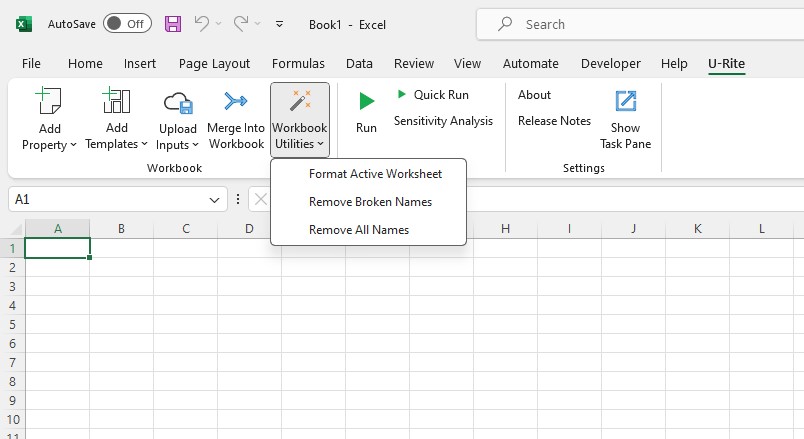
The Workbook Utilities button opens a menu that consists of the following options:
-
Format Active Worksheet: This will implement best-practice formatting across your active worksheet.
- Black: Formulaic Cells.
- Blue: Inputs that drive the model through Excel.
- Green: Cells linked to a different worksheet.
- Purple: Inputs that drive the model through U-Rite ("Run" the model in the U-Rite ribbon to see changes take effect).
-
Remove Broken Names: This will attempt to fix any broken names referenced within the Excel workbook.
-
Remove All Names: This will remove all names referenced within the Excel workbook.