Action Bar
The Action Bar is a control panel that provides a range of functionality designed to enhance productivity and ease of use.
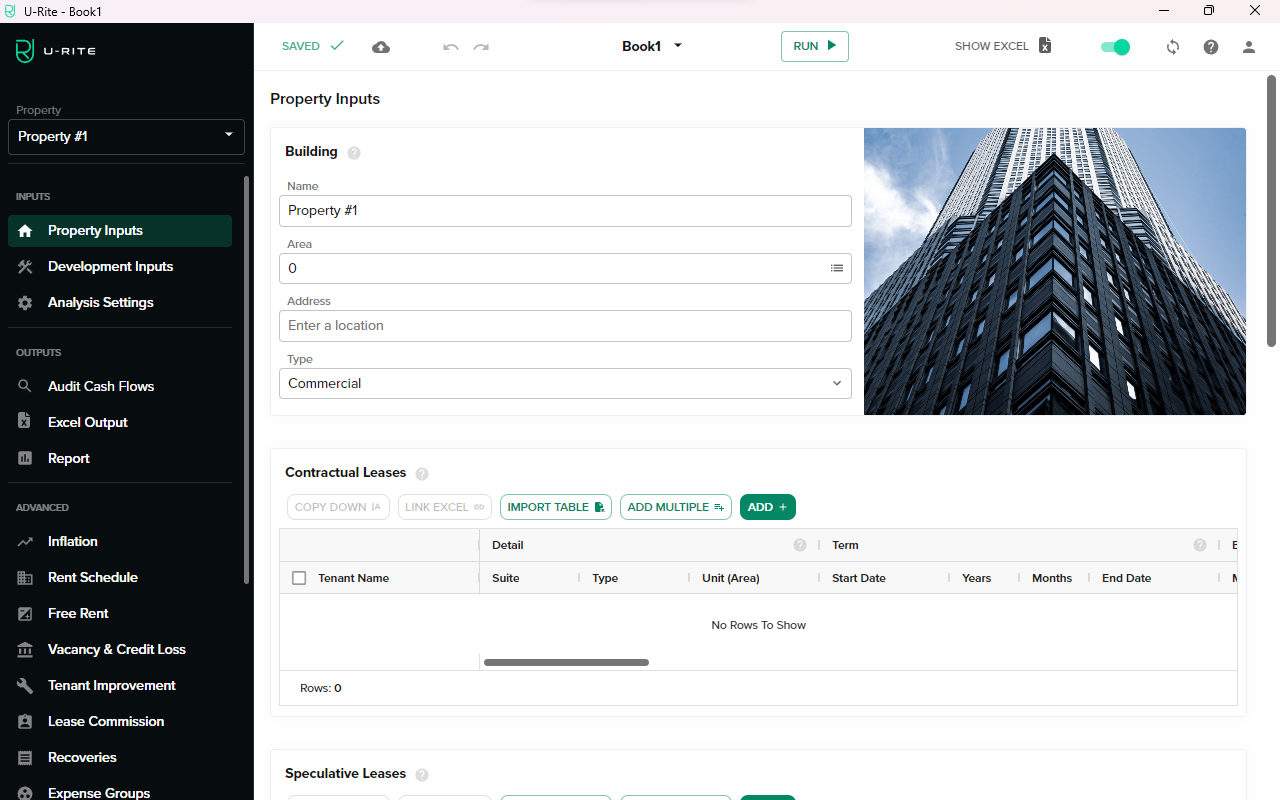
Save
The Save button allows users to save their current progress within the U-Rite app. It's recommended to frequently save your work to prevent data loss. The shortcut for this action is CtrlS.
Upload
Users can upload their current workbook directly to the dashboard for backup or for sharing purposes.
Undo
The Undo button allows users to reverse their most recent action. This feature is useful when you want to revert from an unwanted change. The shortcut for this action is CtrlZ.
Redo
The Redo button restores actions that have been undone. If you've undone an action by mistake, use this button. The shortcut for this action is CtrlY.
Current Workbook
The current workbook is displayed on the Action Bar. To switch between different workbooks, a dropdown menu is provided, allowing quick and easy switching without needing to leave the current U-Rite page/view.
Run Calculation
The Run Calculation button triggers all calculations in the current workbook. It's useful when you need updated results after modifying data or formulas. The shortcut for this action is CtrlF9.
Show Excel
The Show Excel button opens the currently active workbook in Excel.
Theme
A toggle switch is provided for switching between light and dark themes according to the users preference.
Refresh
Clicking on the Refresh button will reload your current view, ensuring any recent changes are correctly displayed.
Profile
The Profile section displays the activated account and provides an option to logout from the U-Rite app.